
Signs Your Instagram Account Is Compromised
In short
The clearest signs your Instagram account is compromised are login alerts from devices you do not know, a changed password or email, and reset or code emails you never requested. Quieter signs, like odd connected apps or settings you did not change, often show up first. Each one can be checked inside the app in a few minutes.
Published
Contents
- 1. Login alerts from devices or places you do not know
- 2. Password or email changed without you
- 3. Login or reset emails you did not request
- 4. Two-factor codes arriving unprompted
- 5. Posts, stories or DMs you never sent
- 6. Messages to your contacts with suspicious links
- 7. Profile details changed
- 8. Unknown follows, unfollows, likes and odd activity
- 9. Locked out or forced logout
- Hacked or cloned? Check this before acting
- What to check first
- Steps right after you spot signs
- If you are already locked out
Work through this list in order. The first items are the most reliable and the easiest to verify. The later ones are subtler, but they often appear days before a full takeover.
1. Login alerts from devices or places you do not know
This is the most useful sign, because it comes from Instagram itself. Go to Settings and activity, then Accounts Center, then Password and security, then Where you're logged in. You will see a list of devices and approximate locations.
Example: you live in one city and the list shows a laptop you have never owned. That is a strong signal. A location that is merely a few cities away can be a mobile carrier, so judge the device first and the place second.
2. Password or email changed without you
If your password stops working and you did not change it, treat that as serious. Attackers often swap the email first so that you cannot reset anything. In the same Password and security area, check Personal details and Contact info for an address or phone number you do not recognize.
3. Login or reset emails you did not request
One unexpected reset email can be a stranger typing your username by mistake. Several in a row suggest someone is actively trying to get in. Do not tap the link in the email. Open the app, go to Password and security, and look at the security emails listed there.
How to tell a real security email from a fake
Instagram lets you review recent emails it sent you. In Accounts Center, Password and security, look for the option showing emails from Instagram. If the message in your inbox is not listed, treat it as suspect.
Other tells of phishing:
- A sender address that only looks close to the real domain
- Urgent deadlines such as "verify in 24 hours or lose your account"
- A button that leads to a login page you reached through the email
- Requests for your password or a code. A genuine notice never needs either.
4. Two-factor codes arriving unprompted
A code by text or authenticator means someone entered your correct password and reached the second step. Your password is probably known to someone else. Do not share the code with anyone, including anyone claiming to be support. Change your password from a device you trust, then review the devices list from item 1.
5. Posts, stories or DMs you never sent
Scroll your own grid, stories and archive. Then open your messages and look at sent threads. Unknown posts are obvious. Quiet DMs are not, because attackers often send a message and delete it. Ask a friend whether they received anything odd from you.
6. Messages to your contacts with suspicious links
This is how many takeovers spread. Friends tell you that you sent a "look at this video" or "vote for me" link. Ask them to screenshot it and not tap it. Those screenshots are also useful evidence later.
7. Profile details changed
Check your bio, username, linked phone, email and website link. Attackers sometimes change a single detail, such as a link in the bio, to push followers to a scam page. Compare against what you set. Open Edit profile and read every field.
8. Unknown follows, unfollows, likes and odd activity
These are the subtle signs. Go to Your activity and check recent likes, comments and follows. Mass follows of accounts you would never choose, or strange search history, point to someone using the account quietly. Also open Settings, then Apps and websites, and review connected third-party apps. Remove anything you do not recognize. Old tools with account access are an overlooked way in.
9. Locked out or forced logout
Being signed out on every device is an obvious sign, but not always a hack. Sometimes it is a session expiry or a security check. Try the official Forgot password flow from the login screen, and use only the email or number you set yourself. If the contact details no longer match yours, the account has likely been taken over.
Hacked or cloned? Check this before acting
A clone is a separate fake profile using your name and photos. Your real account still works, your login list looks normal, and followers report a second account. The fix is different: report the impersonating profile from its menu and warn followers. A hack means your own account is being used or you cannot get in.
What to check first
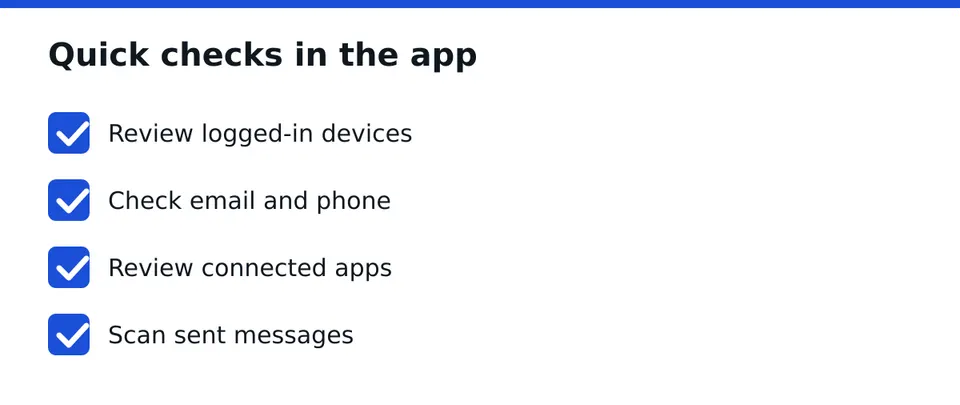
Confirm in this order:
- The devices list in Where you're logged in
- Your email and phone under Personal details
- Connected apps under Apps and websites
- Sent messages and recent posts
Steps right after you spot signs
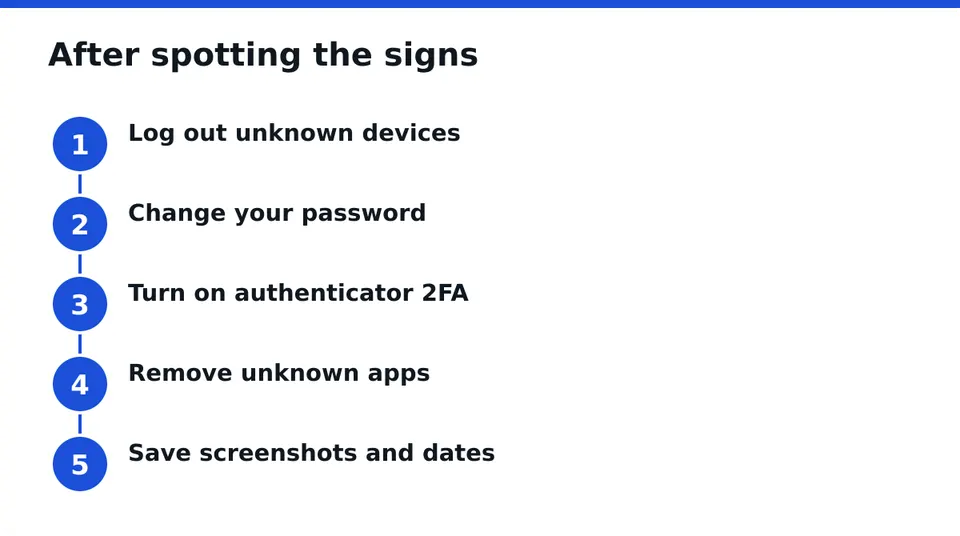
If you can still log in, change your password to a new unique one, log out of unknown devices, turn on an authenticator app for two-factor, and remove unfamiliar connected apps. Then confirm your email account itself is secure, since it controls resets.
Start documenting now. Take screenshots of the device list, odd emails, strange messages and your friends' reports. Note dates and times. A simple timeline helps any recovery attempt, whether you do it yourself or with help.
If you are already locked out
Stay calm and avoid random "hacker recovery" offers in DMs. Those are usually a second scam. Use the official recovery options from the login screen, and keep your evidence in one folder.
If that does not work, a case assessment is the sensible next step. RESCUNO is a registered company that handles disabled, suspended and hacked accounts under a written contract. Only you log in, and we never ask for your password or codes. We cannot promise an outcome, but we can tell you honestly what is realistic for your case. Our Scam Check is free, and so is the case assessment. Message us on WhatsApp for a free case assessment.
Frequently asked questions
How can I see which devices are logged into my account?
Open Settings and activity, then Accounts Center, then Password and security, then Where you're logged in. You will see devices and approximate locations. Log out of any you do not recognize, then change your password so those sessions cannot return.
Why did I get an Instagram login code I did not request?
It usually means someone typed your username and password and reached the second step, or someone is testing your account. Do not share the code. Change your password from a trusted device and check your logged-in devices list.
What is the difference between a hacked and a cloned Instagram account?
A hacked account is your own profile being used or taken by someone else. A cloned account is a separate fake profile copying your name and photos. Your real login still works with a clone, so you report the fake profile instead.
Is the email saying my Instagram was accessed from a new device real?
Do not judge it by the look alone. Open the app and check the security emails listed under Password and security in Accounts Center. If it is not there, or it urges you to click a link, treat it as phishing.
What if I cannot log in anymore?
Try the official Forgot password flow, and keep screenshots and a timeline of what happened. If the contact details were changed and you are stuck, request a free case assessment so you know what is realistic for your case.
Independent site, not affiliated with Meta, Instagram, Facebook, WhatsApp, iPhone, Android.
Lucas Majewski - Founder, RESCUNO
Lucas is the founder of RESCUNO. His team helps owners of disabled, suspended and hacked Instagram and Facebook accounts, Meta ad accounts and Facebook Pages, working under a written contract and never asking for a password.