
How to Secure Your Account After a Hack: Step-by-Step
In short
To secure an account after a hack, work in order: secure the email linked to it, set a new unique password, log out every other session, turn on app-based two-factor authentication, then check for backdoors. If you are locked out, use the official recovery flow first, and consider assisted help under a written contract if that stalls.
Published
Contents
- Signs your account was hacked
- Decide which case you are in
- The first hour: stop the damage
- The first day: lock it down properly
- Use official recovery and reporting tools
- If you are locked out and cannot log in
- Warn your contacts
- Business pages, ad accounts and payment methods
- The first week: check for hidden backdoors
- Set up a password manager and unique passwords
- Why accounts get hacked in the first place
- Spotting recovery scams that target hacked users
- When assisted recovery makes sense
- Long-term monitoring after recovery
- Your next step
Panic makes people click fast and in the wrong order. A short sequence beats a long list of tips, so this guide is built around time: the first hour, the first day, the first week. It covers Instagram and Facebook, and the same logic applies to most other accounts.
One rule first. Only you log in to your account. Nobody legitimate, including us, needs your password or a login code. If someone asks, that is the scam.
Signs your account was hacked
Some signs are loud. You get a login alert from a place you have never been. Your password or email was changed and you did not do it. Posts, stories or messages appear that you never wrote.
Others are quiet. Unknown devices in your login list. Followers or accounts you do not recognize. Emails about a changed phone number. A friend tells you that you sent them a strange link. Treat any one of these as real until you have checked.
If none of these show up but something feels off, still run the checks below. They cost you twenty minutes.
Decide which case you are in
Everything depends on one question: can you still log in?
- Yes, I have access: follow the steps below in order.
- No, I am locked out: skip to the locked-out section, but still secure your email first.
The email comes first in both cases, because whoever controls the email controls every password reset.
The first hour: stop the damage
Do these in this order. The order matters.
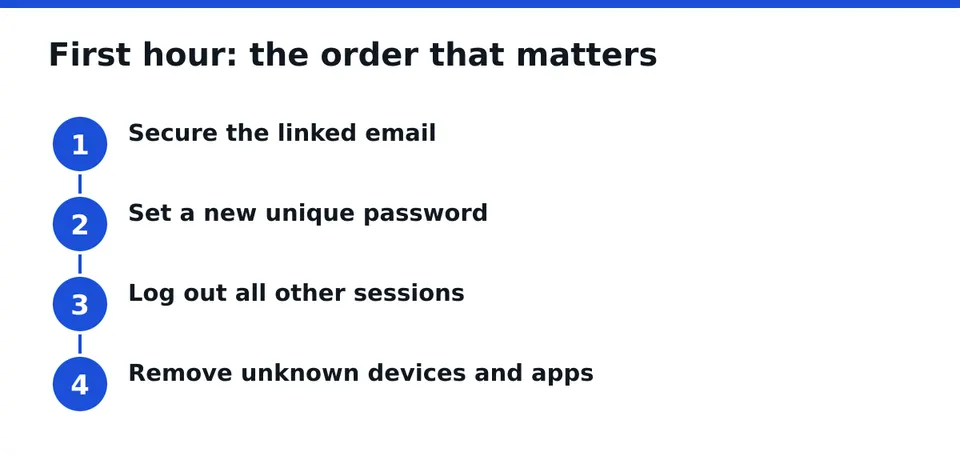
1. Secure the linked email account
Open your email from a device you trust. Change that password to a new one you have never used anywhere. Turn on two-factor authentication there too. Look at the inbox and sent folder for password reset messages you did not request.
Also check the email settings for forwarding rules and filters. Attackers often set a rule that copies or hides messages from Instagram or Facebook so you never see the alerts.
2. Change the account password
Pick a password that is long, unique and not a variation of an old one. A random phrase of several unrelated words works well, and a password manager can generate one for you (more on that below). Do not reuse it anywhere.
If you wonder whether to change the password or log out of devices first: change the password first, then log out everywhere. Doing it the other way round can let a live session keep running while the old password is still valid.
3. Log out of all other sessions
In the security or login settings, find the list of where you are logged in and choose to log out of all other sessions. On Facebook this sits in Security and login. On Instagram, look under Accounts Center, then password and security. Menu names change over time, so look for the login activity list.
4. Remove unknown devices and apps
Go through that same list line by line. Anything you do not recognize, remove. Unknown location, unknown phone model, an old device you no longer own: all of them go. Then check connected apps and remove those you did not knowingly add.
The first day: lock it down properly
Turn on two-factor authentication with an authenticator app
Choose an authenticator app over text messages. SIM swapping and intercepted texts are a known weak point, and an app code lives on your device. Save the backup codes somewhere offline. Do not share any code with anyone, ever.
Is two-factor enough after a hack? No, it is one layer. It does nothing if an attacker already has an active session or a backdoor, which is why the next steps matter.
Review and update recovery email and phone number
Attackers often swap these so they can get back in later. Confirm that the recovery email and phone number are yours. Remove any you do not recognize.
Scan your devices for malware
If the hack came from a malicious app, a fake login page or a browser extension, a new password on the same infected phone will be stolen again. Update the operating system on your iPhone or Android and your computer. Run a scan with a reputable security tool. Remove apps and browser extensions you did not choose to install.
Review account activity and recent changes
Look at what changed. Check your username, bio, email, phone, linked accounts, sent messages, deleted posts and ad activity. Write down anything odd with the date. This list helps if you need to report the hack or ask for help later.
Revoke third-party app permissions
Old quiz apps, scheduling tools and "see who viewed your profile" services often keep access for years. Remove everything you do not use today. You can reconnect a trusted tool later with a fresh login.
Use official recovery and reporting tools
Instagram and Facebook both have built-in ways to report a compromised account and to recover access. Use them from a device and location you have used before, if you can. Follow the prompts exactly, and avoid repeated submissions, which can slow things down and muddy your case.
No one can promise a result or a timeline here. The platform decides. What you can do is give it clean, consistent information: the email you signed up with, the phone number, and the device you usually use.
If you are locked out and cannot log in
Locked-out readers need a different path. Most guides assume you still have access, and you may not.
- Secure your email from a trusted device. This blocks further resets.
- Use the official "I think my account was hacked" flow from a device you have used before.
- Check your inbox for messages about a changed email or phone. Some of them include a link to reverse the change. Open them only by typing the site address yourself or from the official app, not from a link in an unexpected message.
- Keep notes: dates, usernames, screenshots of alerts, old devices, and the original sign-up email.
- Warn your contacts (see below) even without access, through another channel.
If the official route stalls, that is the point where assisted help can make sense. More on this in a moment.
Warn your contacts
A hacked account is often used to message your friends, followers and customers. Tell them through another channel, a text, another account or a story from a friend, to ignore links and money requests sent from your account. Keep the message short and calm.
Example: "My account was hacked. Please ignore any links, codes or money requests from it. I am working on getting it back."
Do not ask them to send you anything. Do not tell them to click anything.
Business pages, ad accounts and payment methods
For creators and businesses, the damage is bigger than a lost profile. An attacker with admin rights can run ads on your card, change page roles or lock you out of your own business assets.
Check these in the first day:
- Page roles: remove any admin or editor you do not know.
- Ad account: look at recent campaigns, spending and billing history.
- Payment methods: remove cards you do not recognize and check statements with your bank.
- Business tools: review connected accounts and anything linked to the business settings.
If you see charges you did not make, contact your bank about them. That is a separate track from recovering the account.
The first week: check for hidden backdoors
Once you are back in, do not assume you are clean. Attackers leave ways to return.
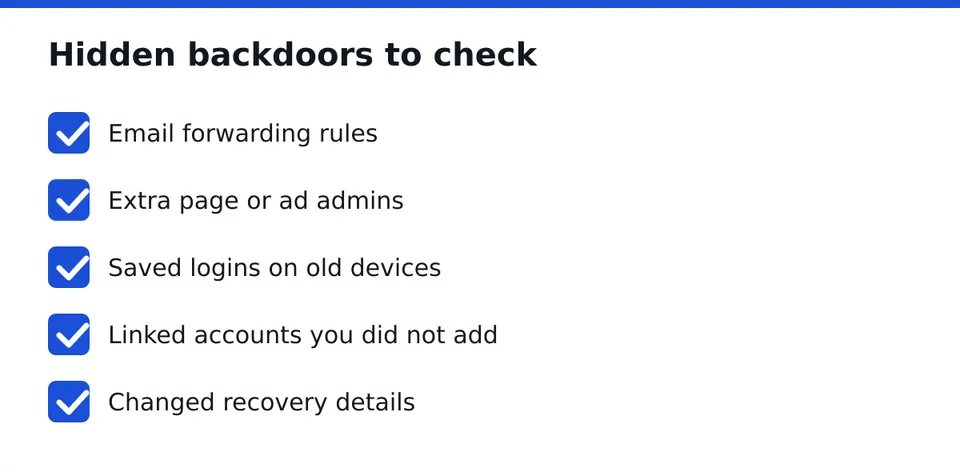
- Forwarding rules and filters in your email.
- Extra admins or editors on pages and ad accounts.
- Saved logins on old browsers, shared computers and devices you no longer use.
- Linked accounts you did not connect yourself.
- Changed recovery details you may have missed the first time.
Repeat the check after a few days. Some backdoors only show up when the attacker tries to use them.
Set up a password manager and unique passwords
Most repeat hacks come from reused passwords. A password manager fixes that without asking you to memorize anything. It creates a different long password for every account, and you only need to remember one strong master phrase.
Start with the accounts that matter most: email first, then Instagram, Facebook, banking and anything tied to your business. Do the rest over the following weeks. You do not need to finish in one evening.
Why accounts get hacked in the first place
Usually it is one of a few things: a password reused from a breached site, a fake login page that looked real, a malicious link in a message from someone you trust, or an app with too many permissions. Knowing which one applies to you helps you close the hole instead of just resetting the lock.
Spotting recovery scams that target hacked users
Hacked users are easy targets for fake helpers. They show up in comments, direct messages and ads, saying they can get your account back fast.
Safe-help checklist:
- They ask for your password or a login code. Stop. Nobody legitimate needs it.
- They promise a guaranteed result or a fixed time. No one controls the outcome.
- They claim a special line into Meta. Be wary. Meta does not work that way.
- They want gift cards or crypto up front, with nothing in writing.
- They contact you first. Reach out to them yourself, after checking.
Before you trust a link or a helper, run it through a free scam check. RESCUNO offers a free Scam Check for exactly this, so you can look at a suspicious link or contact before you click or pay.
When assisted recovery makes sense
You can do the steps above yourself, and many people do. Assisted help makes sense when you are locked out, the official flow has stalled, or the account is a business asset you cannot afford to lose.
If you go that route, insist on a written contract. It should say what is being done, what it costs, what is and is not promised, how your data is handled, and who does what. It should also say that you remain the only person who logs in. Honest providers state limits clearly. No one can guarantee recovery, and you should be wary of anyone who does.
RESCUNO is a registered company and handles account recovery under a written contract. We never ask for your password. A free case assessment is the lowest-risk first step: you describe what happened, and we tell you plainly whether we can help and how.
Long-term monitoring after recovery
Security after a hack is not a one-day job. Build a light routine:
- Check the login activity list once a month.
- Review connected apps every few months and remove what you do not use.
- Keep the operating system and apps updated.
- Treat unexpected messages with links as suspicious, even from friends.
- Keep your backup codes and recovery details current.
For people who want ongoing coverage, RESCUNO offers Guardian + Recovery Guarantee, a protection plan that works alongside these habits. Read the terms carefully, as you should with any service.
Your next step
If you are still locked out, or you have done the steps and something still feels wrong, Message us on WhatsApp for a free case assessment. Tell us what happened. We will not ask for your password, and we will tell you honestly what is realistic.
Frequently asked questions
What should I do first if my account was hacked?
Secure the email linked to the account first, using a new unique password and two-factor authentication. Then change the account password, log out of all other sessions, and remove unknown devices and apps. If you are locked out, use the official recovery flow.
Should I change my password or log out of devices first?
Change the password first, then log out of all other sessions. If you log out first while the old password still works, the attacker can simply sign back in. Make sure the linked email is secured before either step.
Is two-factor authentication enough after a hack?
No. It is an important layer, and an authenticator app is better than text messages, but it will not remove an active session, a rogue admin, a forwarding rule or malware on your device. Combine it with the backdoor checks and a unique password.
Can I secure my account if I can't log in?
You can secure what is around it. Lock down your email, use the official hacked-account recovery flow from a familiar device, document what happened, and warn your contacts. If that stalls, a free case assessment can show whether assisted help makes sense.
How can I tell if a recovery service is legitimate?
A legitimate service never asks for your password or login codes, does not promise guaranteed results or fixed timelines, does not claim special access to Meta, and gives you a written contract. Check any link or contact with a scam check before paying.
Independent site, not affiliated with Meta, Instagram, Facebook, WhatsApp, iPhone, Android.
Lucas Majewski - Founder, RESCUNO
Lucas is the founder of RESCUNO. His team helps owners of disabled, suspended and hacked Instagram and Facebook accounts, Meta ad accounts and Facebook Pages, working under a written contract and never asking for a password.