
How to Retrieve a Hacked IG Account: Step-by-Step
In short
Yes, you can often retrieve a hacked IG account by working through Instagram's official login help, the hacked-account report and video selfie verification, in that order, with your evidence ready. Nobody can promise the result or the timing, but a calm, organized process gives you the best chance, and there is a clear path even when the hacker changed your email and phone.
Published
Contents
- How can I get my hacked Instagram account back?
- What should I gather before I start?
- How do I use the official login help and reset link?
- What if the hacker changed my email and phone number?
- Can I recover an account without access to my email?
- How does the video selfie verification work?
- How long does Instagram account recovery take?
- What should I do after I get back in?
- Should I warn my followers after a hack?
- How do I know if an Instagram recovery service is a scam?
- What should I do if my account was hacked and deleted?
- How do I stop my account from being hacked again?
- What is the next practical step?
How can I get my hacked Instagram account back?
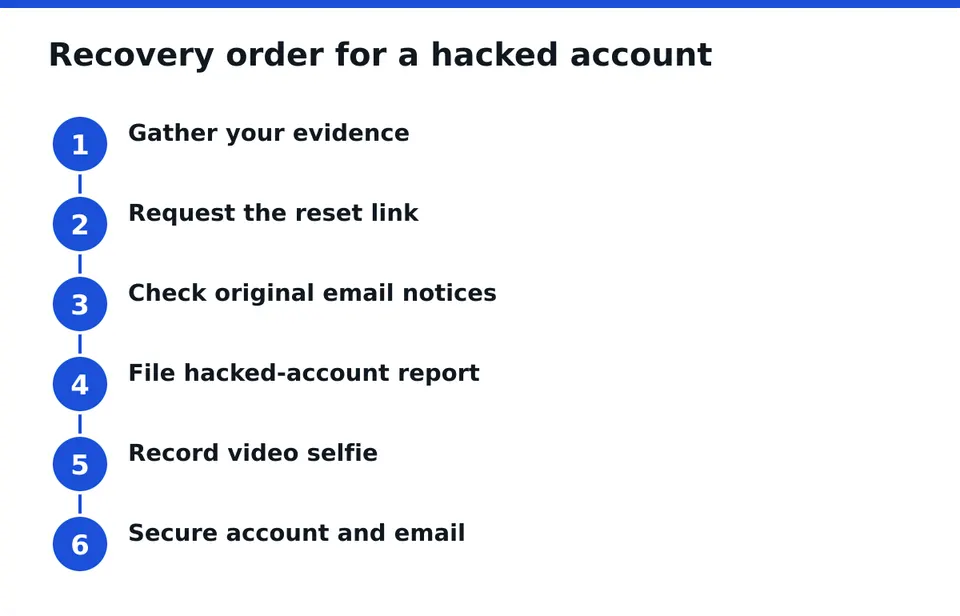
Start with the official routes, and do them in order: reset link, hacked-account report, then video selfie verification. Each one is free, and each one can be done only by you.
First, confirm the signs. You may see a login email you did not trigger, a changed username or profile photo, messages you never sent, unknown devices in your login activity, or a password that suddenly stops working. One sign alone can be a glitch. Two or three together mean you should act now.
Immediate first steps:
- Try to log in and, if it works, change the password at once and log out of all other devices.
- If it does not work, tap Forgot password? on the login screen and request a reset link.
- Secure the email account tied to Instagram before anything else (more on that below).
- Do not hand your password or any login code to anyone who offers to help. Only you log in.
What should I gather before I start?
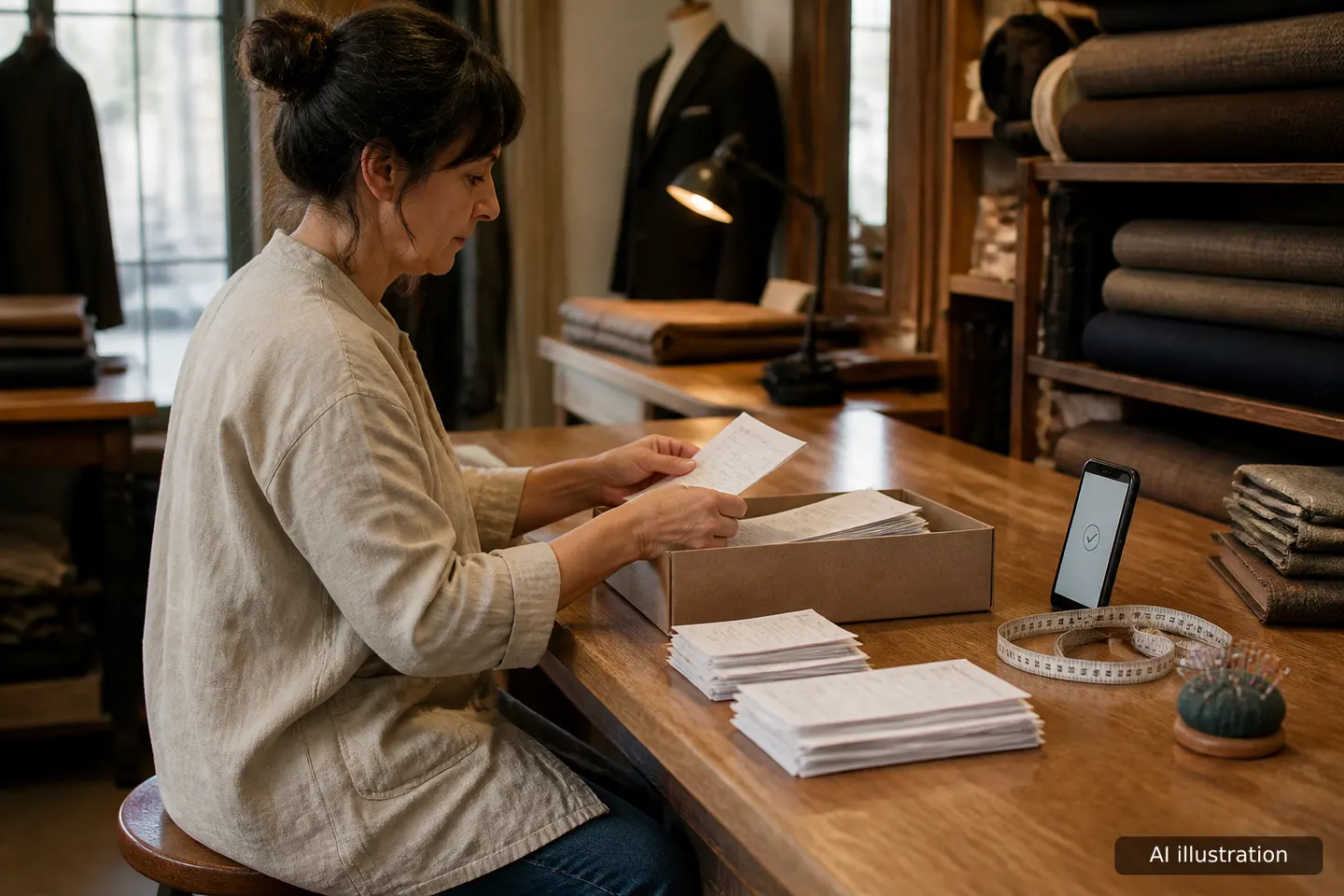
Gather your evidence first, because the forms ask for details and you will be calmer with them in front of you. It takes ten minutes and saves repeated attempts.
- Your username and the email and phone number you originally used.
- Old emails from Instagram, such as the sign-up confirmation or earlier security notices.
- The device you normally log in from. Recovery works best from a phone or computer you used before, on your usual network.
- Screenshots of your profile, old posts, a business page or ad invoices that show the account is yours.
- A note of what you saw change and when.
Keep everything in one folder. If you later ask for professional help, this is exactly what a reviewer will want to see.
How do I use the official login help and reset link?
Use the Forgot password? option on the Instagram login screen and choose email or phone. Instagram then sends a reset link to the contact details on file.
If the link arrives, open it on your usual device, set a new unique password and confirm. If it does not arrive, check spam and the other folders in your inbox, and wait a little before requesting again. Repeated requests in quick succession can slow things down.
If the hacker changed your contact details, Instagram may have sent a notice to your original email address. Look for a message about a changed email. It usually contains a link to revert the change or to secure your account. Use it quickly, and only if the message really comes from Instagram. Check the sender address and open the app instead of trusting a link blindly. Once you are in, go to Accounts Center, then Password and security, and look at Where you're logged in and the contact details listed on the account. If anything looks unfamiliar, change it and log those devices out.
What if the hacker changed my email and phone number?
This is the hardest common case, and it is still workable. Search your old inbox for an Instagram message about a changed email, and use the revert link in it if it is still valid.
If that link has expired or never came, go to the login help in the app, choose that you cannot access your email or phone, and follow the hacked-account route. It leads to the identity check described next. Pick a contact address that only you control, not the one the hacker set.
Example: you lose access on Monday, and the hacker swaps your email on the same day. On Tuesday you find the original-email notice, but the revert link has expired. Then:
- Secure your original mailbox first, with a new password and two-factor protection.
- On the login screen, tap Forgot password?, then the option that you no longer have access to your email or phone.
- Enter a new contact address only you control and follow the identity steps, including the video selfie.
- Attach or keep ready your screenshots and old emails, and note the date of each attempt.
That is slower, but it is a real path.
Can I recover an account without access to my email?
Yes, in many cases, but not through the reset link. Without the email you rely on the hacked-account report and video selfie verification, which exist for exactly this situation.
First, recover the email account itself if you can. Use that provider's own recovery tools. Regaining your old mailbox often brings back the security emails you need.
How does the video selfie verification work?
Instagram asks you to record a short video selfie, turning your head as shown, so it can compare you with the account owner. You submit it inside the recovery flow in the app.
A few practical points:
- Use good light, remove sunglasses or masks and keep your face fully in frame.
- Do not send it to anyone by chat. It belongs only inside the official flow.
- If the account never showed your face, the check can be harder. Extra proof, such as old screenshots, helps.
- Be wary of anyone asking you to send the video or a code to them.
How long does Instagram account recovery take?
There is no fixed time, and anyone who gives you a guarantee is guessing. Some people regain access within a day, others wait longer, and some need several attempts.
A realistic approach: submit one clean request, then wait for the reply before filing another. Check your email, including spam, for responses. If days pass without an answer, repeat the process once from your usual device and keep notes of each attempt, with dates. Spamming forms rarely helps and can muddy the case.
Example: you file the hacked-account report on Monday and log it in your notes with the time and the email address you used. On Tuesday and Wednesday you only check the inbox and spam folder. On Friday, with still no reply, you file once more from the same phone and note it. Two clean, dated attempts are easier to follow than ten rushed ones. Support replies arrive by email, so keep that mailbox secured and never answer anyone who writes to you on chat claiming to speak for Instagram.
What should I do after I get back in?
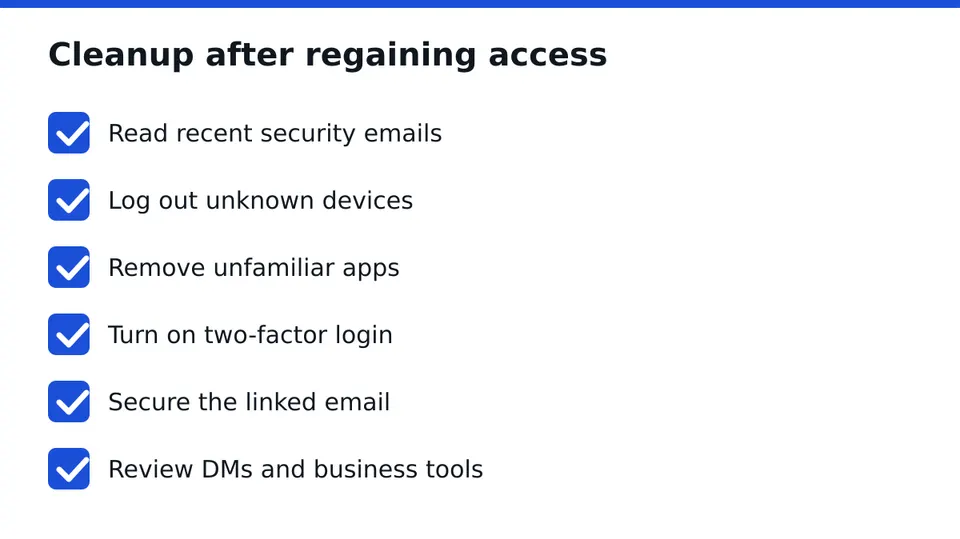
Treat the first hour after access returns as cleanup, not celebration.
- Check security emails. Open the Instagram messages from the last weeks and look for changes you did not make.
- Revoke unknown devices and apps. In Accounts Center and login activity, log out unfamiliar devices and remove apps you do not recognize.
- Turn on two-factor authentication with an authenticator app where possible, rather than only text messages.
- Secure the linked email. Change its password, enable its own two-factor protection and check forwarding rules and recovery addresses.
- Review DMs, posts and business tools. Look for sent messages, new posts, changed links in your bio, added admins on a Page, and ad accounts or payment details you did not set up.
Should I warn my followers after a hack?
Yes, a short and calm warning helps. Post it from another account, or a story once you are back in, saying that messages sent during that period were not from you and that nobody should click links or send money.
If the hacker contacted your customers, message the key ones directly. Keep the tone factual. You do not need to explain more than that.
How do I know if an Instagram recovery service is a scam?
Be cautious with any helper who contacts you first, asks for your password or login code, demands payment by gift card or crypto, or promises guaranteed recovery. Those are the classic marks of a recovery scam, and people who were just hacked are targeted often.
A legitimate service behaves differently. It is a registered company, works under a written contract, explains what it can and cannot do, and offers a free assessment before any commitment. It never needs you to hand over access, because only you log in. Ask for the contract terms in writing and read them before you agree to anything. We do the same: RESCUNO is a registered company, works under a written contract and never asks for your password. We have no link to Meta, and no one can promise a specific outcome.
Before you click anything, check these tells in a message about your account:
- The sender's address or handle is not exactly the official one, or it is a brand-new account with few posts.
- It creates a deadline, such as "your account will be deleted in 24 hours".
- The link goes to a domain that is not Instagram's, or to a shortened link you cannot read.
- It asks you to log in again, send a code or confirm a form in the chat.
- It mentions copyright, a verification badge or a policy violation you never heard of.
If you are still unsure, run the message through the free Scam Check before you click. You send us the text or a screenshot, never your password or a code.
What should I do if my account was hacked and deleted?
Check first whether it is truly deleted or only disabled. Try the login screen and the reset link, and look for emails from Instagram about a disabled or removed account.
If you see a message about a disabled account, the appeal option inside it is the right route. If the hacker deleted it, the chance of return is lower and the time window matters, so act quickly, document everything and consider a free case assessment to judge what is realistic.
How do I stop my account from being hacked again?
Use a unique password stored in a password manager, turn on app-based two-factor authentication and protect the email account harder than Instagram itself. Review logged-in devices every few months.
Treat unexpected messages with suspicion, especially those about copyright, verification badges or account violations. Do not log in through links sent by chat. Open the app directly instead. For ongoing monitoring of business accounts, Guardian + Recovery Guarantee is the protective plan we offer, and its terms are set out in writing.
What is the next practical step?
Work through the official reset and hacked-account report today, with your evidence folder open. If you are stuck, for example with a changed email and no reply, Message us on WhatsApp for a free case assessment and we will tell you honestly what is realistic, under a written contract and without ever asking for your password.
Frequently asked questions
How can I get my hacked Instagram account back?
Use the official login help to request a reset link, then the hacked-account report and video selfie verification if the link fails. Do it from your usual device, with evidence ready, and never share your password or codes with a helper.
What if the hacker changed my email and phone number?
Search your original inbox for an Instagram notice about the email change and use its revert link if valid. If not, choose the option that you cannot access your email or phone and complete the identity verification in the app.
How long does Instagram account recovery take?
There is no fixed timeline. Some cases resolve within a day, others take longer or need repeated attempts. Submit one clean request, wait for a reply, keep dated notes and retry once from your usual device if nothing arrives.
How do I know if an Instagram recovery service is a scam?
Red flags are unsolicited contact, requests for passwords or codes, odd payment methods and guaranteed results. A legitimate service is a registered company, offers a free assessment, works under a written contract and never needs your login.
Should I warn my followers after a hack?
Yes. A brief, calm notice that messages from the hacked period were not from you protects followers and customers. Tell them not to click links or send money, and contact important clients directly.
Independent site, not affiliated with Meta, Instagram, Facebook, WhatsApp, iPhone, Android.
Lucas Majewski - Founder, RESCUNO
Lucas is the founder of RESCUNO. His team helps owners of disabled, suspended and hacked Instagram and Facebook accounts, Meta ad accounts and Facebook Pages, working under a written contract and never asking for a password.